
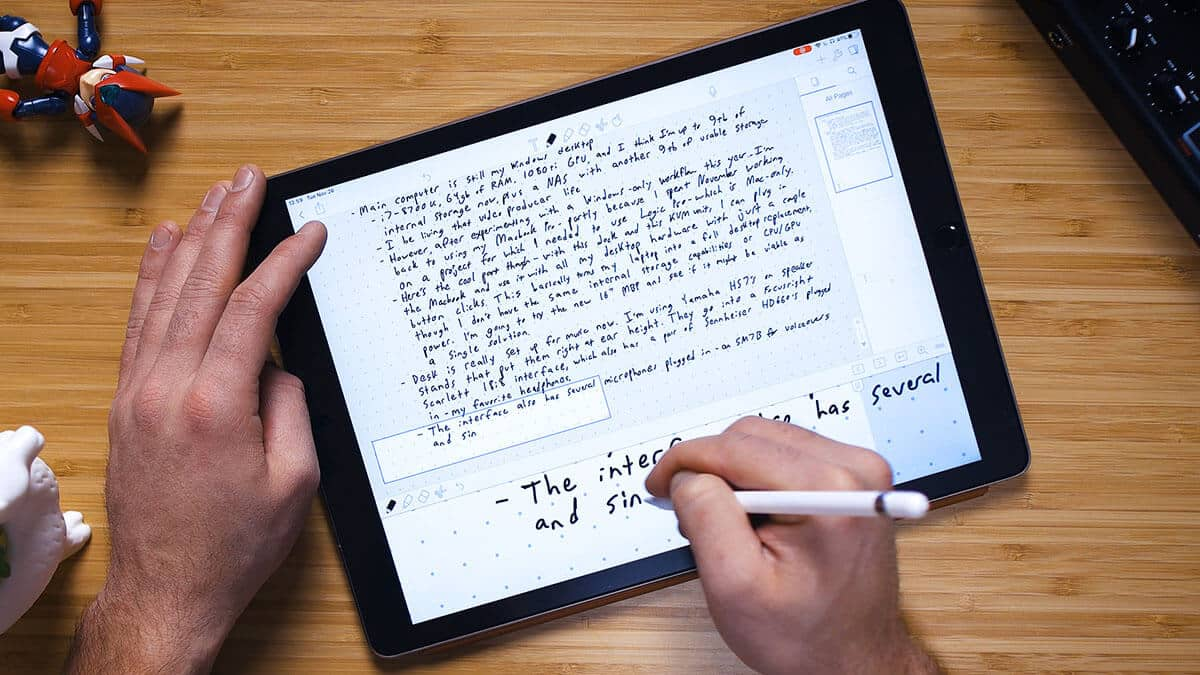
Digital note taking on iPad has become genuinely reliable for students and professionals. The right app can turn handwritten notes into searchable, organized study material while keeping everything available on one device. This guide covers the best note taking apps for iPad available today, with each option suited to a slightly different workflow. Whether you need an iPad for studying, lecture notes, PDF annotation, or professional project planning, the right app can make a significant difference. Choosing the best option depends on your subject load, study habits, preferred features, and budget.
Why iPad Note Taking Apps Work So Well
An iPad combines a large display with responsive Apple Pencil support. This pairing makes handwritten notes feel natural and precise, while digital organization makes it easier to search, edit, and store information. The Apple Pencil Pro adds pressure sensitivity and low-latency writing on compatible iPad models. Together, these features make iPad note taking apps genuinely useful for daily study. Students can write equations, highlight textbooks, draw diagrams, and organize notes without carrying multiple notebooks.
Apple Notes: Best Free iPad Notes App
Apple Notes comes preinstalled on every iPad at no extra cost. It supports handwriting, PDF markup, sketches, checklists, and quick text notes, making it a convenient starting point for everyday users. Handwritten notes are searchable, which can save considerable time when reviewing old material. Notes also sync across Apple devices through iCloud, making Apple Notes a strong best iPad notes app choice for students who want something simple without paying for a separate subscription.
GoodNotes: Best App for Handwritten Notes
GoodNotes is widely considered one of the strongest choices for handwritten notes on iPad. It offers realistic pen styles, handwriting recognition, notebook organization, and tools designed specifically around digital writing. Notebooks can be organized into folders, much like physical binders. Students can use separate notebooks for mathematics, science, lectures, and assignments while also importing PDFs for annotation. Search across handwritten pages makes finding older information faster and easier.
Notability: Best for Combining Audio and Notes
Notability stands out by allowing users to record audio while taking notes simultaneously. This can be especially useful during lectures where it is difficult to write down every important detail. Tapping a note later can help users review the corresponding part of the recording. The app also supports PDF import, annotation, and multimedia notes, making it a practical note taking app for students who attend frequent lectures.
Microsoft OneNote: Best for Organizing Large Notebooks
OneNote suits users managing many subjects, long-term projects, or school and office work together. Its notebooks, sections, and pages create a familiar folder-like structure for keeping large amounts of information organized. The app syncs across supported devices through a Microsoft account. This makes it a dependable choice among note taking apps for iPad, particularly for students and professionals who already use Microsoft Word, Excel, or other Microsoft services.
Noteshelf: Best for Templates and Customization
Noteshelf offers a wide range of customizable notebook templates. Planners, journals, academic templates, and different writing tools allow users to create a more personalized note taking experience. Handwriting feels smooth, with multiple pen and highlighter options available. Audio recording alongside notes can also help students who need to review lectures later. For users who enjoy combining organization with visual customization, Noteshelf is worth considering.
Best iPad Note Taking App for Students
Students should consider how they actually study before choosing an app. Someone who mainly writes short classroom notes may be perfectly comfortable with Apple Notes, while students handling large textbooks and hundreds of handwritten pages may prefer GoodNotes or OneNote. For lecture-heavy courses, Notability’s audio capabilities can provide an additional advantage. Students who use planners, journals, and customized templates may find Noteshelf more appealing. The best tablet for note taking is ultimately the one whose software matches your daily study routine.
Which App Should You Choose?
If you want a free and simple option, choose Apple Notes first. It covers most everyday note taking needs without requiring another paid application. If handwritten notes and organization matter most, choose GoodNotes. It remains one of the strongest choices for structured digital study and textbook annotation. If you attend lectures regularly, Notability is worth considering for its audio and note-taking workflow. Recording and writing together can make later revision easier. If you manage multiple subjects or long-term projects, OneNote provides a highly structured notebook system. If customization and templates are your priority, Noteshelf offers a more personalized experience.
Where to Buy iPad and Apple Pencil in Bangladesh
Star Tech offers iPad models and Apple Pencil options suitable for note taking, studying, and everyday productivity. The iPad Air (M4) is particularly suitable for users who want a larger workspace and compatibility with Apple Pencil Pro. For students comparing the best iPad for note taking, choosing the right combination of iPad model, storage, screen size, and Pencil compatibility is more important than simply selecting the most expensive device. Nationwide delivery also makes it convenient for students and professionals across Bangladesh to set up an iPad-based note taking workflow.