
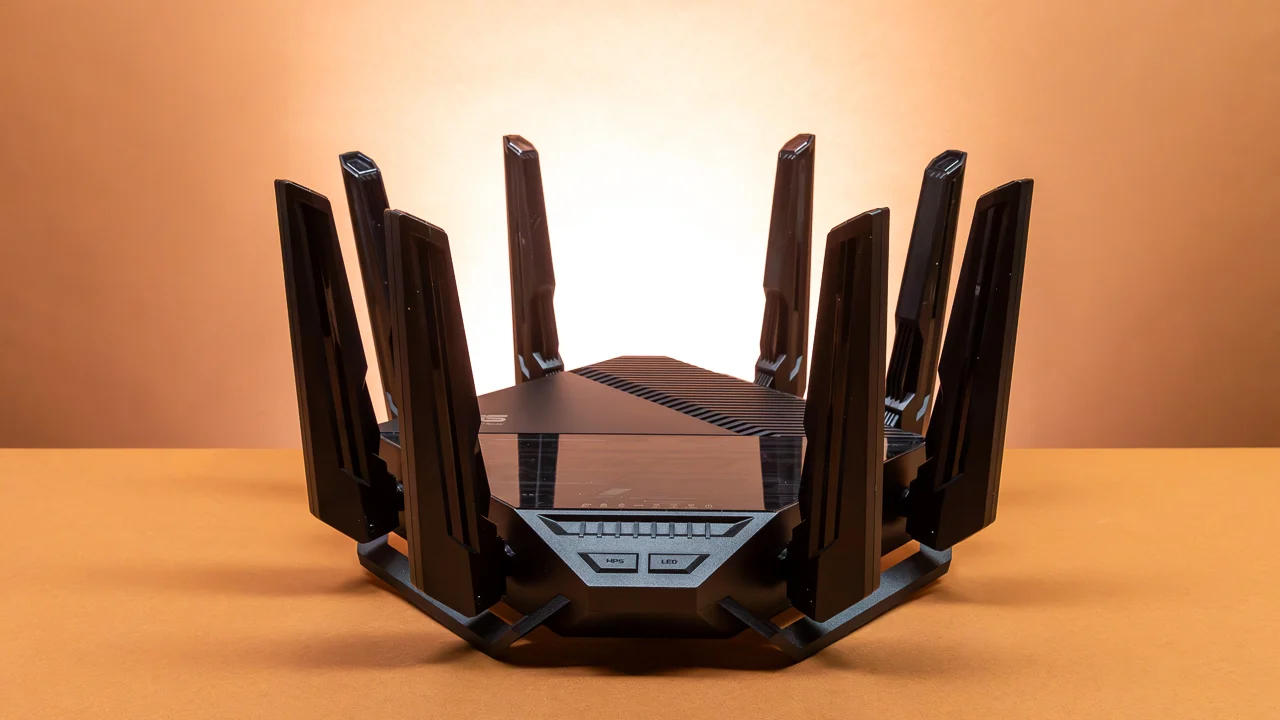
Choosing the best Wi-Fi 6 router for home use matching real specs to your actual internet plan, home size, and daily usage. Wi-Fi 6, also called 802.11ax, improves speed, efficiency, and device handling over older standards. It uses OFDMA and MU-MIMO technology to serve multiple devices simultaneously without slowing down. This matters for Bangladeshi households running phones, laptops, smart TVs, and IoT devices all at once. A Wi-Fi 6 wireless router also improves battery life on connected devices through smarter power management. For homes upgrading to fiber internet, a Wi-Fi 6 router for fiber internet makes better use of higher bandwidth plans than older Wi-Fi 5 hardware.
How to Choose the Best Wi-Fi 6 Router for Home Use
Start with your internet plan speed, since your router should match or exceed it. Next, consider your home size and layout, since concrete walls common in Bangladesh weaken signal strength. Count your connected devices, since busy households need stronger MU-MIMO and OFDMA support. Check Ethernet port count if you plan to wire a smart TV, gaming console, or desktop PC directly. Finally, compare Wi-Fi 6 router price in Bangladesh against these features rather than choosing by brand name alone.
Best Wi-Fi 6 Router for Small Homes and Apartments
For a small apartment or single-floor home, an AX1500 dual-band Wi-Fi 6 router covers most needs affordably. The Tenda TX2L Pro AX1500 delivers 1201Mbps on 5GHz and 300Mbps on 2.4GHz, with five external antennas for solid coverage. The Cudy WR1500 AX1500 offers similar speeds with four omni-directional antennas and three Gigabit LAN ports. The TP-Link Archer AX12 AX1500 adds HomeShield security features, including intrusion prevention and malicious site blocking, useful for households prioritizing network safety. Any of these suit the best Wi-Fi 6 router for apartment living without overspending.
Best Wi-Fi 6 Router for Large and Multi-Floor Homes
Larger homes need stronger signal power and, often, mesh compatibility. The TP-Link Archer AX15 covers 1,500 to 1,800 square feet with a 1.25GHz dual-core processor and four Gigabit LAN ports, suiting mid-size homes well. The ASUS RT-AX52 AX1800 covers up to 2,500 square feet in open space and supports AiMesh Node mode, letting you expand coverage later without replacing hardware. For a genuine Wi-Fi 6 router for large house needs, starting with an AiMesh-compatible router like this gives room to grow into a full mesh Wi-Fi 6 mesh router setup later.
Best Wi-Fi 6 Router for Gaming and 4K Streaming
Gaming and 4K streaming both demand low latency and strong simultaneous throughput. The Tenda TX3000 Pro AX3000 delivers 2402Mbps on 5GHz with six external antennas, giving gamers and streamers real headroom during peak use. The Mercusys MR80X AX3000 matches this speed with four antennas and full WPA3 encryption support for secure gaming sessions. Both routers handle 4K streaming across multiple devices without buffering, making them a strong Wi-Fi 6 router for 4K streaming choice for media-heavy households. For competitive online gaming, prioritize models with dedicated QoS settings and Gigabit LAN ports for wired connections.
Dual-Band vs Tri-Band Wi-Fi 6 Routers
Every router listed here runs dual-band, broadcasting both 2.4GHz and 5GHz simultaneously. A dual-band Wi-Fi 6 router suits most homes well, since 2.4GHz reaches farther through walls while 5GHz delivers faster speeds up close. Tri-band routers add a second 5GHz band, mainly benefiting mesh systems where one band handles node-to-node communication separately from device traffic. For a single-router home setup, dual-band Wi-Fi 6 remains sufficient and more affordable.
Wi-Fi 6 Router vs Mesh Wi-Fi System
A single Wi-Fi 6 router works well for apartments and small to mid-size homes with open layouts. A mesh Wi-Fi system becomes worthwhile for duplex houses, three-story homes, or properties with thick concrete walls that block signal between floors. Some models, like the ASUS RT-AX52, bridge this gap by supporting AiMesh Node mode, letting you start with one router and expand into a mesh setup later without discarding your original hardware.
Wi-Fi 6 vs Wi-Fi 5: What Is the Difference?
Wi-Fi 5 handles fewer simultaneous device connections and lacks OFDMA, which splits channels efficiently across multiple devices. Wi-Fi 6 improves speed modestly but improves device capacity and efficiency significantly, especially in homes running ten or more connected devices. For anyone upgrading their home network in 2026, Wi-Fi 6 offers meaningfully better real-world performance than Wi-Fi 5 for the same or similar price.
Wi-Fi 6 vs Wi-Fi 7: Which Router Should You Buy?
Wi-Fi 7 offers higher theoretical speeds and lower latency but remains expensive and requires Wi-Fi 7 compatible devices to see real benefit. Most phones and laptops in Bangladesh still run Wi-Fi 6 or Wi-Fi 5 chipsets, meaning a Wi-Fi 7 router provides limited practical advantage today. For most households, a best Wi-Fi 6 router for home network delivers better value right now, with Wi-Fi 7 worth considering only for future-proofing on a longer timeline.
Best Wi-Fi 6 Router Brands in Bangladesh
TP-Link, Tenda, Cudy, Mercusys, and ASUS all sell Wi-Fi 6 routers across Bangladesh at varying price points. TP-Link and Tenda dominate the budget-to-mid-range segment with reliable performance and simple app-based setup. Mercusys, a TP-Link sub-brand, offers similar quality at a slightly lower price. ASUS targets buyers wanting stronger security features and mesh expansion options through AiMesh.
Where to Buy a Wi-Fi 6 Router in Bangladesh
Star Tech is a trusted Wi-Fi router shop in Bangladesh, carrying Wi-Fi 6 models from TP-Link, Tenda, Cudy, Mercusys, and ASUS. Star Tech also offers EMI facilities, making higher-end AX3000 routers more accessible through manageable monthly payments. Nationwide home delivery also ensures buyers outside Dhaka can access genuine routers with proper warranty support.