
Carrying one device that handles both tablet needs and laptop work has always sounded appealing. For years, it stayed more of a concept than a reality. With Samsung DeX, that idea has become a real, daily-use solution. Students, professionals, and remote workers across Bangladesh now use a single Samsung Galaxy Tab instead of carrying two devices.
What Is Samsung DeX?
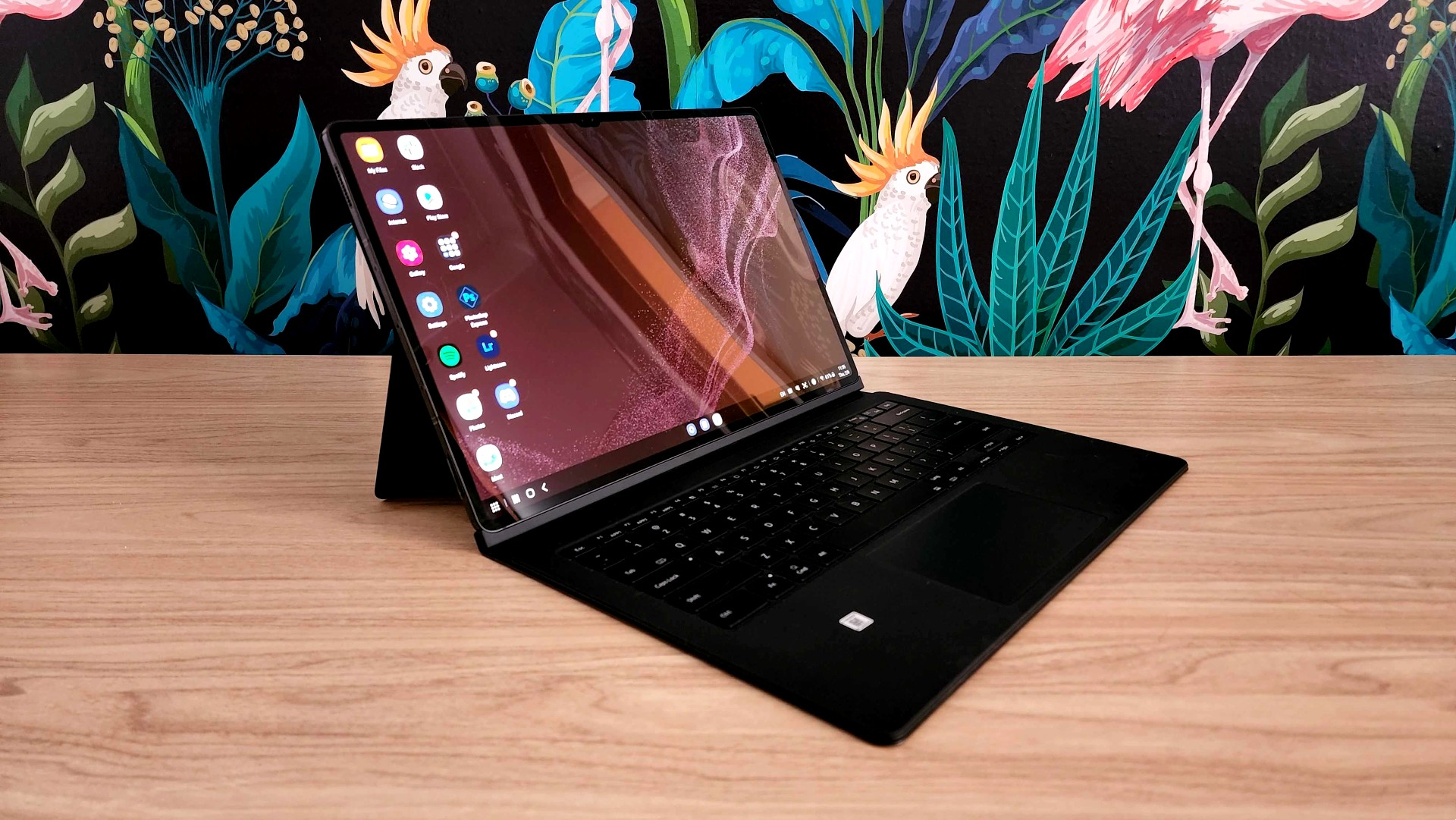
Samsung DeX stands for Desktop Experience. You activate it by connecting a USB-C display cable, a keyboard case, or a Bluetooth keyboard. This shifts your Samsung Tab’s interface from a standard Android layout into a windowed desktop environment.
In DeX mode, apps open in resizable windows instead of full-screen mobile views. You can run several apps side by side using Multi-Active Window. You switch between them just like on a laptop, and drag content between apps easily. The taskbar at the bottom looks like a traditional desktop OS. A Bluetooth or wired mouse works with full cursor precision. An external monitor can also extend your screen space for a true dual-display setup.
How Does Samsung DeX Work?
Samsung DeX works in two main setups. DeX on Screen turns your Samsung Tablet into a trackpad, while the desktop interface runs on an external monitor connected through USB-C. This is the closest experience to a full desktop PC, and it works best for office or home desk setups. DeX on Tablet runs the desktop interface directly on the tablet’s screen, once you attach a keyboard case like the Samsung Book Cover Keyboard. This is the portable, laptop-replacement setup, and it matters most to buyers in Bangladesh who want one device on the go.
What Can You Actually Do in Samsung DeX Mode?
DeX is a genuine productivity tool, not a gimmick. Here is what it handles well.
Document Editing and Office Work
Microsoft Word, Excel, and PowerPoint run in resizable DeX windows with their full desktop feature sets. Google Workspace apps, including Docs, Sheets, and Slides, perform just as well. For writing, editing spreadsheets, building presentations, and managing email, with Samsung Tablet, DeX offers a working environment close to a mid-range laptop.
Multitasking with Multi-Active Window
Multi-Active Window lets you run several apps at once in separate, resizable windows. Standard Android tablet mode handles this poorly by comparison. In practice, you can write a report in Word while checking a PDF, reading email, and joining a Zoom call, all on one screen. For students doing research or professionals juggling projects, this Samsung Tab multitasking ability is the strongest reason to choose DeX over a standard tablet.
S Pen Integration
On Samsung Galaxy Tab S series models, the included S Pen works smoothly with DeX. Samsung Notes becomes a full digital notebook. You can take handwritten notes during a call, annotate PDFs, sketch diagrams, or brainstorm with stylus precision no laptop trackpad can match. The S Pen adds a creative and note-taking edge that sets the Samsung Tab and DeX combination apart from any laptop or Chromebook at a similar price.
Samsung Flow for PC Connection
Samsung Flow lets your Samsung Galaxy Tab in DeX mode work alongside a Windows PC. It shares clipboard content, mirrors the PC screen, transfers files, and even unlocks the PC using the tablet as a trusted device. For hybrid workers splitting time between office desktops and mobile setups, this cross-device connection is a real advantage.
Galaxy AI Productivity Features
Samsung Galaxy Tab S10 series models bring Galaxy AI directly into DeX. Circle to Search, Live Translate for real-time language translation on calls, Note Assist for summarizing handwritten notes, and AI writing tools in Samsung Notes all work in DeX mode. These AI features speed up everyday tasks in ways most entry-level laptops cannot match.
DeX works best for students, writers, content creators, remote workers, and business users who spend most of their time in documents, spreadsheets, email, video calls, and web browsers. For these use cases, DeX on a Samsung Galaxy Tab S series is a genuinely capable laptop alternative.
List of Best Samsung Galaxy Tab Models for DeX (2026)
Samsung Galaxy Tab S10 FE
The Galaxy Tab S10 FE is the most accessible DeX-capable Samsung Tablet in Bangladesh, priced at BDT 47,000 at Star Tech. It runs on the Exynos 1580 chip with up to 12GB RAM, handling everyday DeX workloads like documents, email, video calls, and multitasking comfortably. The 10.9-inch 90Hz display stays sharp and responsive. The S Pen comes included, and the 8,000mAh battery covers a full working day on one charge.
Samsung Galaxy Tab S9
The Galaxy Tab S9 is priced at BDT 62,000 at Star Tech and remains one of the most capable DeX tablets in Bangladesh’s mid-tier. Its 11-inch Dynamic AMOLED display with a 120Hz refresh rate gives a noticeably better DeX experience than the S10 FE. The larger, sharper screen makes windowed multitasking far more comfortable. Powered by the Snapdragon 8 Gen 2, this Samsung Tab handles demanding DeX sessions, including large spreadsheets, video streaming, and multiple apps running at once, without slowdown.
Samsung Galaxy Tab S10+
The Galaxy Tab S10+ is priced at BDT 84,500 at Star Tech and hits the sweet spot for serious DeX productivity. Its 12.4-inch Dynamic AMOLED 2X display gives DeX windowed apps real room to breathe. The larger canvas makes the desktop experience feel close to working on a compact laptop screen. Powered by the MediaTek Dimensity 9300+ with 12GB RAM, this Samsung Galaxy Tab handles heavy multitasking, high-resolution content, and AI workloads with ease.
Samsung Galaxy Tab S10 Ultra
For users who want no compromises, the Galaxy Tab S10 Ultra’s 14.6-inch Dynamic AMOLED 2X display makes DeX mode feel like working on a full-size monitor. With up to 16GB RAM and the Dimensity 9300+ chip, this Samsung Tablet handles the most demanding multi-window DeX sessions. It runs a browser with 20 tabs, a document editor, a video call, and Samsung Notes at the same time without hesitation.
Where to Buy Samsung Galaxy Tab in Bangladesh
When buying a Samsung Galaxy Tab for DeX use, choose an authorized retailer like Star Tech. This ensures genuine warranty coverage and access to official Samsung after-sales service. Star Tech offers the latest Samsung Galaxy Tab range at competitive prices through their Samsung Tablet shop, with Samsung Galaxy Tab pricing starting from BDT 18,700 and going up to BDT 154,000, depending on model, features, and specs. Star Tech also offers flexible EMI options through multiple partner banks. Nationwide home delivery is available too, so buyers across Bangladesh can purchase with full warranty assurance without visiting a Dhaka showroom.